
Wheon Cricket 07 – Modded Legacy of Cricket 07 with Latest Updates
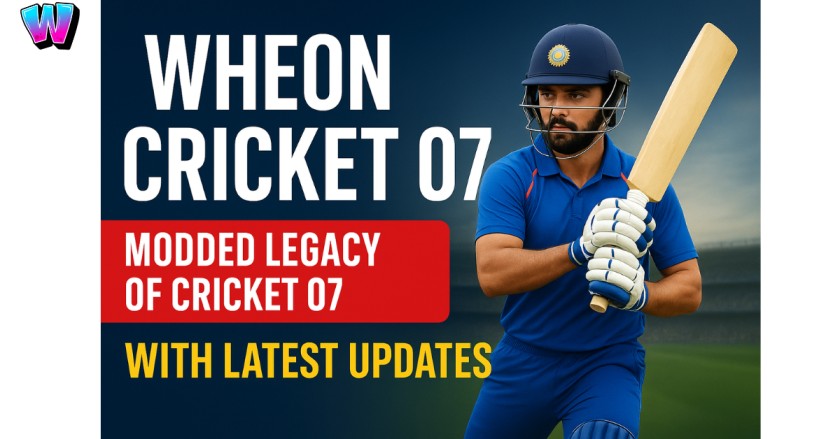
Wheon Cricket 07 is a modern, upgraded version of EA Sports’ classic Cricket 07 — brought back to life by passionate cricket fans and the Wheon gaming community. This modded edition keeps the nostalgic feel of the original game but adds a new spark with updated IPL teams, HD player faces, improved graphics, and smoother gameplay. Thanks to the Wheon modders, players can now enjoy real-time tournaments, new stadiums, realistic commentary, and enhanced AI performance — all while running smoothly on most PCs and laptops.
Whether you’re a long-time fan of the original EA Cricket 07 or a new player exploring virtual cricket for the first time, Wheon Cricket 07 offers the best of both worlds — nostalgia and modern features in one game.
In this guide, you’ll learn everything about the game — from how to download and install Wheon Cricket 07, to the best patch packs, gameplay settings, and online play options that make it a favorite among cricket lovers worldwide.
What Is Cricket 07 (Quick Overview)
Feature | Details |
Game Title | EA Sports Cricket 07 |
Developer | EA Sports |
Publisher | Electronic Arts |
Initial Release Date | November 24, 2006 |
Genre | Sports (Cricket Simulation) |
Game Modes | Exhibition, World Cup, Test Series, Ashes, Domestic Leagues |
Platforms | Microsoft Windows, PlayStation 2 |
File Size (Original) | Around 2 GB |
Modded Version | Wheon Cricket 07 (Updated by the Wheon Community) |
Updated Features | Modern squads, HD graphics, new stadiums, IPL patches, AI improvements |
Best For | Cricket lovers, eSports fans, and nostalgic gamers |
Multiplayer Support | Yes (via LAN and modded online servers) |
The Origins and Features of Cricket 07
A Game That Redefined Virtual Cricket
Cricket 07 isn’t just a sports game — it’s a piece of nostalgia for millions of cricket lovers, especially in India. Released in 2006 by EA Sports, it became the first cricket game that truly captured the thrill, strategy, and excitement of real international cricket.
Even after nearly two decades, it still holds a special place in the hearts of fans. Whether you played it on your old PC or PlayStation 2, Cricket 07 made you feel like stepping right onto the pitch with your favorite players.
EA Sports’ Vision: Bringing Real Cricket to Screens
Back in 2006, EA Sports wanted to create something more than just another sports title. With Cricket 07, they brought the drama of world cricket to life — just as T20 cricket was becoming a global phenomenon.
For the first time, gamers could:
- Choose from their favorite international and domestic teams
- Play full World Cups, Test Series, and Ashes tours
- Control pitch conditions, weather, and match time
- Build strategies like real captains — balancing bowling, batting, and fielding setups
It was a full cricket simulator long before modern sports games offered such depth.
Game Modes That Keep It Exciting
Cricket 07 stood out for its wide range of modes that let players enjoy the sport in many different ways.
Game Mode | Description |
Test Matches | Full five-day challenges for classic cricket fans. |
One Day Internationals (ODIs) | 50-over matches with World Cup-style excitement. |
Twenty20 (T20) | Short, action-packed games that match modern T20 vibes. |
World Cup & Ashes Series | Iconic international tournaments for big-match thrill. |
Custom Tours & Knockouts | Build your own series or quick-play events anytime. |
No matter your playing style — fast, tactical, or traditional — Cricket 07 offered the freedom to play your way.
Why Wheon Cricket 07 Is Popular Today
Wheon Cricket 07 has become one of the most talked-about cricket games among fans — even years after the original EA Cricket 07 release. But what makes it so popular today? Let’s explore:
1. Modern Graphics & Realistic Gameplay
The Wheon community mods have completely refreshed the visuals — new stadiums, HD player faces, improved lighting, and smoother animations. The updated graphics make the classic game feel brand new without losing its nostalgic charm.
2. Updated Teams and IPL 2025 Squads
Wheon Cricket 07 keeps players excited with regular updates and patch packs. You can play with your favorite IPL teams, new jerseys, and updated player stats, giving you a real-world cricket experience.
3. Easy to Install and Run on Any PC
Unlike many modern games, Wheon Cricket 07 runs smoothly on low-end PCs and laptops. It doesn’t need heavy specs — anyone can play and enjoy the game without lag.
4. Strong Community and Mod Support
The Wheon Cricket gaming community is one of the most active online. Players share patches, graphics mods, and gameplay tips daily. This strong fan base keeps the game alive and constantly improving.
5. Endless Customization Options
From custom tournaments and new kits to real stadium experiences — players can personalize almost every part of Wheon Cricket 07. That freedom makes it stand out from other cricket games.
6. Online Multiplayer Fun
Thanks to modded servers, players can now enjoy Wheon Cricket 07 online with friends and fans worldwide — a feature that adds a whole new level of excitement
Difference Between EA Sports Cricket 07 and Wheon Cricket 07
Feature | EA Sports Cricket 07 | Wheon Cricket 07 |
Graphics | Standard Definition | Full HD with improved textures |
Teams | 2006 Lineups | Updated 2024–2025 squads |
Commentary | Classic voices | Updated sound pack |
Kits | Old designs | Modern uniforms and jerseys |
Compatibility | Windows XP/7 | Windows 7–11 |
Mods | Limited | Full mod support with patches |
Wheon Cricket 07 System Requirements
Before downloading, check whether your PC meets these minimum specs:
Requirement | Minimum Specification |
OS | Windows 7/8/10/11 |
Processor | Intel Pentium 4 or later |
RAM | 2 GB minimum |
Graphics | 512 MB VRAM (Integrated/External) |
Storage | 2 GB free disk space |
Input | Keyboard, Mouse, or Game Controller |
How to Download Wheon Cricket 07 (Safe Guide)
Downloading Wheon Cricket 07 safely is very important, especially since there are many fake or broken versions online.
This simple step-by-step guide will help you get the official Wheon Cricket 07 mod and install it properly on your PC — without errors or viruses.
Step 1: Find a Trusted Source
Before you download, make sure the website you’re using is safe and verified. Avoid random links or file-sharing sites.
Always download from a trusted Wheon community source or the official WheonHub website, where files are regularly updated and checked for security.
🔹Tip: Check that the download file has “Wheon_Cricket_07” or “EA_Cricket_07_Mod” in its name and ends with .zip or .rar.
Step 2: Download the Wheon Cricket 07 Setup
Once you find the official download link:
- Click the Download button.
- The file size is usually between 1.5 GB to 2.5 GB, depending on patches and HD textures.
- Wait for the download to complete — do not close your browser.
Step 3: Extract the Game Files
After downloading:
- Locate the file in your Downloads folder.
- Right-click on the .zip or .rar file.
- Choose Extract Here (using WinRAR or 7-Zip).
- Wait for the extraction process to finish.
You’ll get a new folder named something like Wheon Cricket 07 Setup or EA Cricket 07 Modded Version.
Step 4: Install the Game
- Open the extracted folder.
- Double-click the Setup.exe or Install.bat file.
- Follow the on-screen instructions to install the game.
- Choose your preferred install location (e.g., C:\Program Files\WheonCricket07).
Once installed, a desktop shortcut will appear automatically.
Step 5: Apply the Wheon Mod (Optional but Recommended)
For the best experience, you can apply Wheon mod packs that include:
- Updated IPL 2025 squads
- New stadiums and scoreboards
- HD player faces and real kits
- Improved AI and gameplay physics
Simply copy the mod files into the game’s main folder and replace the old ones when asked.
Step 6: Launch and Enjoy Wheon Cricket 07
Now you’re ready to play!
Double-click on the Wheon Cricket 07 icon, set your graphics and controller options, and start your first match.
You can enjoy Test Matches, T20s, IPL seasons, or custom tournaments with updated visuals and player stats.
Best Settings for Smooth Gameplay
- Resolution: Start at 1280×720 or 1366×768 for low-end machines.
- Texture Quality: Medium for older GPUs, High if VRAM allows.
- Crowd Size / Shadows: Lower if you face FPS drops.
- Controller: Use a modern USB controller mapped via Windows or dedicated mapping tools.
Troubleshooting (Common Issues & Fixes)
- Game won’t start: Run as administrator; install DirectX and Visual C++ redistributables.
- Mods not showing: Check you overwrote correct files; ensure mod pack matches your game version.
- Controller not detected: Re-map buttons; try XInput wrappers like x360ce.
- Crashes after mod install: Restore backup and add mods one-by-one to find culprit.
Why Indian Players Still Love Cricket 07
No other country embraced Cricket 07 like India did. Here’s why it’s still a favorite:
- It Feels Familiar – Every Indian cricket fan grew up watching the same players featured in the game.
- Endless Mods – Indian fans created new patches, IPL versions, and real commentary packs.
- Multiplayer Fun – LAN and online play made it the go-to game for local tournaments.
- Community Spirit – From gully cricket nostalgia to pro-level mods, the Indian gaming community kept it alive.
Even in 2025, Wheon Cricket 07 continues to evolve with Indian creators bringing new ideas, improved visuals, and gameplay updates every year.
The Legacy Continues with Wheon Cricket 07
The modern version, Wheon Cricket 07, builds on EA’s foundation — combining classic gameplay with modern cricket realism.
Players now enjoy:
- Updated IPL and World Cup squads
- HD stadiums and player faces
- Smoother performance
- Real-time tournaments and AI enhancements
This perfect mix of nostalgia and innovation keeps the game trending — proving that Cricket 07 will never go out of style.
FAQs
Q1: Is Wheon Cricket 07 safe to download?
A: Yes — if you download from trusted Wheon community hubs and scan files with antivirus. Avoid random file-sharing sites.
Q2: Can I play Cricket 07 on Windows 10/11?
A: Yes. Many players run it on Windows 10/11 with minor tweaks (compatibility mode, DirectX).
Q3: Where do I get IPL rosters & 2025 patches?
A: Look for “IPL patch Cricket 07 2025” on Wheon mod hubs and dedicated patch blogs — they include readme files for easy install
Q4: How do I play multiplayer?
A: Use VPN solutions (Hamachi/Radmin) or join Wheon Discord servers to find players and connect via direct IP or provided multiplayer mods.
Conclusion
Wheon Cricket 07 is the revival of classic cricket gaming — now sharper, faster, and more realistic than ever. Whether you want to relive EA Sports Cricket 07 memories or explore its new features, Wheon’s version ensures you experience the true spirit of cricket on your PC.
If you love cricket games, realistic graphics, and updated teams, this is your go-to game for 2025